How to Buy a Windows Laptop
Updated Dec, 2025
Laptops are more popular than ever these days. A laptop is no longer a big compromise on performance.
But there's a huge and confusing selection out there. What features are important? What features can you safely ignore? What are some after-purchase upgrades that can give better performance and more usefulness?
Give a man a fish and you feed him for a day. Teach him how to fish and you feed him for a lifetime.
No, that's not from the Bible. It was Chinese philosopher Lao Tzu who said that.
For those not steeped in techademia, buying the right laptop with all of its arcane specifications can be quite a challenge. So, I'm here to teach you how to fish!
The Important Bits
It's important to choose a laptop with decent specifications or else performance and usability will suffer.
The specs shown below are things to look for.
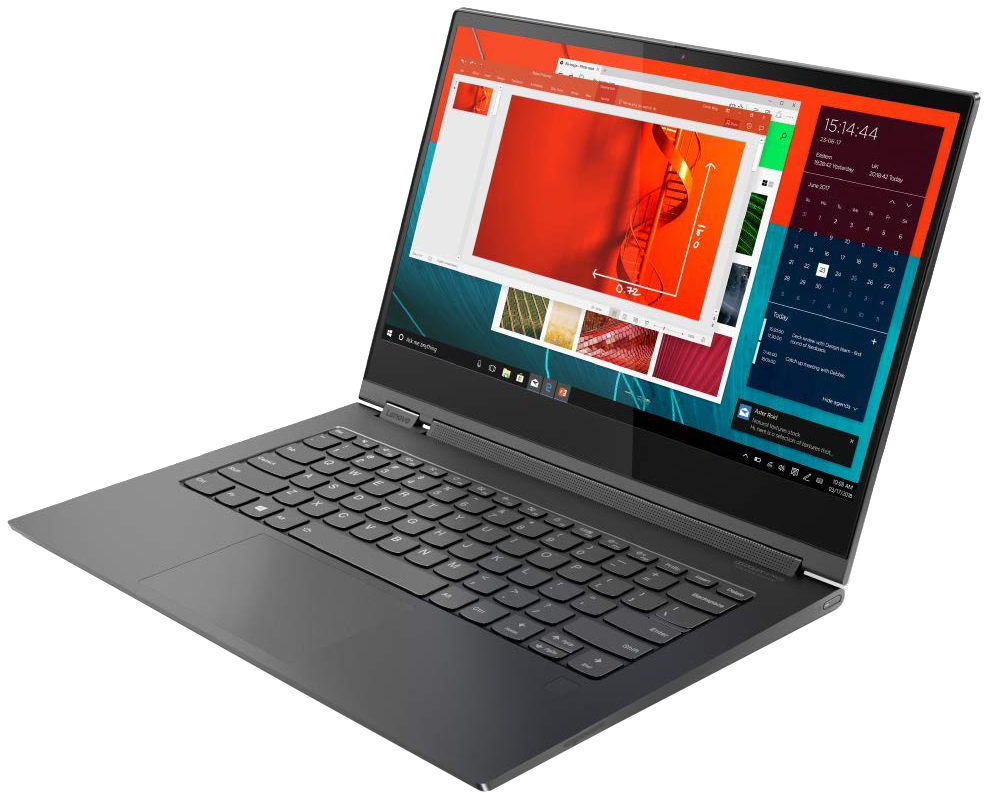
Lenovo Laptop
- The first three specs (CPU, RAM, SSD) are the most important performance-wise.
- The display and keyboard specs don't affect machine performance but will affect your experience.
- Laptop size and weight mostly affects ease of portability.?
For the most part the brand doesn't matter. e.g. Lenovo isn't any "better" then Dell. Having said that, each brand does have their own design characteristics that you may personally find desirable. e.g. Some people prefer Lenovo, others Dell, still others HP, and so on. I can't really comment much on those characteristics as they are a personal preference and decision.
Here are three different specification sets for a high-end, mid-range, and budget laptop.
Higher-end specs when money is not a factor or it's a low priority factor.
- CPU: Intel Core i7, 14th generation or higher.
- RAM: 16 or 32 GB
- SSD: 1 TB, or higher if you store a lot of pictures/videos.
- Display: FHD 1920x1080 pixels resolution with IPS (In-Plane Switching)
- Backlit Keyboard**
- Possible Tablet / Laptop Convertible (for smaller laptops)
- Prices start around $1,000 or so, sale or closeout prices notwithstanding.
- Verdict: These specs offer excellent no-compromise performance.
Mid-level specs when money is a secondary factor. I regard this level as the sweet spot, giving you the best bang for the buck.
- CPU: Intel Core i5, 12th generation or higher.
- RAM: 12 or 16 GB
- SSD: At least 512 GB
- Display: FHD 1920x1080 pixels resolution with IPS (In-Plane Switching)
- Backlit Keyboard**
- Prices start around $600 or so, sale or closeout prices notwithstanding.
- Verdict: These specs offer good, solid performance.
Minimum specs when money is the primary factor.
- CPU: Intel Core i3 or i5, 12th generation or higher.
- RAM: 8 or 12 GB
- SSD: At least 250 GB
- Display: FHD 1920x1080 pixels resolution with IPS (In-Plane Switching). Avoid cheaper laptops with 1366x768 displays
- Prices: As little as $300. Buying a refurbished laptop is an option to consider.
- Verdict: This is the least specced laptop that is still fairly decent. Not as fast as the others specced above but still usable.
The Important Bits, Explained. I'm gonna geek out here a little.
CPU
The CPU / Processor is the brain. The Intel Core i5 is in the sweet spot price/performance wise. The i7 is technically a faster CPU, but in a laptop where energy consumption is closely monitored, you'll not really notice that much more raw speed. But i7 laptops tend to have better specs overall, like more RAM and SSD storage, which can contribute to better performance.
On the Intel side, avoid laptops with Celeron or Pentium processors. You want a Core i3, i5, or i7 CPU.
On the AMD side, avoid laptops with Athlon or A-series processors. You want a Ryzen 3, 5000 series or better.
RAM
8 GB of RAM is the absolute minimum. It's enough if you tend to only have a few browser tabs open. But I recommend 12 to 16 GB these days. For a high-end model that may come with 32 GB, fine, more RAM never hurts. With more RAM, you can open more browser tabs with complex web pages without suffering from performance-robbing swap-outs. Websites are more complex and bloated than ever before and they continue getting more complex and consuming more RAM every year. Be ready for that.
SSD
SSD-based storage is far and away better than hard drive storage for laptops and desktops. The performance boost from SSD is huge -- I really cannot overstate that. They are more reliable and draw less power -- all critical pluses for a laptop. Read more here. All new laptops today come with SSD storage so an upgrade is unnecessary unless you just need more capacity. I absolutely recommend SSD for all new computers and even your existing computers.
The SSD capacity sweet spot today is 1 or even 2 TB. If you tend to store lots of videos, photos, or music, you will want 1 TB or larger. Videos are the worst for eating up space. Photos and music aren't as bad unless they number in the many thousands.
Display
The selection of display is important and there's lots of features. Size? Resolution? Glossy or matte? Touch-enabled? IPS? OLED?
Let us discuss those display features one by one.
Size: The display size drives all other design aspects of the laptop. Laptops with larger displays have necessarily larger bodies, in which manufacturers can use larger and heavier parts. They weigh more and are not as lithe or portable. The minimum common size is 13.3 inches (actual screen surface measured diagonally not including the bezel) on up to 17+ inches.
Resolution: Look for 1920x1080 pixels (FHD) or 1920x1200 pixels (WUXGA). Lesser resolutions (e.g. 1366 x 768) require too much scrolling around and the larger pixels are annoyingly visible, creating coarse-looking fonts and graphics with rough edges. Low-end laptops often have screen resolutions of 1366x768 pixels so beware and avoid those.
I also don't generally recommend ultra high res screens (like 2.8K or 4K) on a laptop. That extra resolution doesn't necessarily look better and can cause font scaling issues with some software. Stick to 1920x1080 or 1920x1200. FHD is a little harder to find on high-end laptops where 4K is more common but there are some out there. Ultra high res screens also consume more power for little to no perceptible gain.
If you are fairly young and have excellent near vision then you may have enough visual acuity to appreciate a 4K display. But for any one else, there's no real benefit.
Glossy or Matte: Just as with photographs, glossy screens are a little sharper but glare can be worse if there's a window or bright light behind you. A matte finish is a compromise that (somewhat) reduces glare but isn't quite as sharp. Mind you, matte finishes are still plenty sharp. Just not quite as razor-sharp as a glossy finish. Glossy is the better choice for ultra high resolution screens. This is likely one of those features that you'll have no control over.
Touch-enabled: Touch is fine for phones and tablets, but I recommend against for laptops with non-detachable keyboards. For more on why I recommend against touchscreens, see my blurb at the end of this article.
IPS: This stands for In-Plane Switching. It's a type of display that maintains its excellent viewability regardless of how the screen is angled. On a non-IPS display, if the screen is tilted / leaning too far forward or back (if your line of vision is not perpendicular to the screen) the colors will appear washed-out or even inverted. IPS displays look perfect, no matter the angle of tilt. IPS screens are also brighter and reproduce color more accurately. If you are fussy about image display quality, and you should be, then IPS is a must. Higher end laptops tend to have IPS displays and some mid-level models have it.
OLED: This stands for Organic Light Emitting Diode. It's a fairly new display technology that gives even more vibrant, accurate colors, with better contrast. OLED displays look beautiful and rich, but they cost a lot more and static image "burn in" can be an issue. I wouldn't necessarily avoid an OLED screen if everything else about the laptop is desirable, but I wouldn't particularly want an OLED screen, either.
For a laptop, OLED is not a sufficiently compelling feature and it does have downsides that IPS screens do not have. For a large home TV, OLED might be desirable albeit very expensive, at least right now. OLED is not that common yet.
Backlit Keyboard
This is fairly common on mid-level and universal on higher-end laptops these days. It's an elegant feature that makes using your laptop in a darkened room much easier. Personally, I would not buy laptop without it. Even my full size keyboard for my tower computer is backlit.
** While we're discussing keyboards, there are two other things to consider: If you do a lot of numerical data-entry then you may want a ten-key pad. But since ten-key pads require additional space on the keyboard, they are generally available only on laptops with 15.6 inch screens or larger. You could also use a full-sized external USB keyboard or a portable USB ten-key pad. Both of those accessories are common.
The other thing is the color of the key tops on the keyboard. Try to find a laptop with black or dark-colored keys with white legends. They are easier to read, especially for a non-touch typist that has to look at the keyboard. Keys that are silver, white, gold, or other light-color will reflect light from the screen, making the keys hard to identify. This is one of those hard-learned lessons that no one thinks about when laptop shopping. But you are learning about that now, before making a costly error.
Tablet / Laptop Convertible
Some laptops today are "convertible" or dual mode. Some have a detachable keyboard while others have keyboards that flip nearly 360 degrees to the back of the unit. Weight and thickness are top design considerations for convertibles. If you need a well-specced laptop that is exceptionally light and thin, a convertible may be the answer, even if you don't need the tablet mode so much.
If thin and super lightweight is important, you might like the LG Gram series of laptops. These are among the lightest laptops you can buy but still have large screens. They are not rugged at all. I recommend the LG Gram series only to people who are careful with their electronics.
Most new laptops these days lack a CD/DVD drive. Optical drives add weight and thickness and simply aren't important these days. If you want a CD/DVD for those rare times when you need one, you can buy an external USB plug-in drive for $25 to $30. This is the way to go.
Gaming Laptop?
There certain are gaming laptops out there. They tend to be large, heavy machines with beefy batteries and power bricks. And even then, no gaming laptop can compete with a full sized gaming tower PC.
The laptop specs I recommend are for general computing tasks -- word processor, web browsing, watch videos, etc. and maybe casual game playing. But not for intense 3D FPS (First Person Shooters) game play.
Why I Don't Recommend Touchscreens on a Laptop
Unfortunately, many (most?) laptops come with a touch-enabled screen, especially higher-end machines. Why am I so against them?
Lots of reasons, in no particular order:
- Screen will collect fingerprints and other gunk from human fingers, requiring frequent cleaning.
- Lots of software and web pages aren't properly touch-compliant, meaning clickable links and icons are too close together to accurately touch with a finger. Such sites were designed to be used with a mouse, which offers far greater precision.
- Phantom touches, where icons and links "click themselves" can be a problem. This happens when the touch-screen driver registers a touch that you didn't make. Worse, I've seen many examples of a "touch storm", meaning multiple random touches are registered in rapid fire "clicking" on things you didn't intend and making it impossible to regain control of the mouse. A forced reboot is often the only way to stop it.
- The touch-sensitive overlay is a wafer-thin sheet of glass that is even more easily cracked than the screen itself.
- Touchscreens consume additional power which will drain the laptop battery faster than a non-touchscreen.
- Depending on how well the touch overlay is bonded to the screen (or not), dust can get between the lighted panel and the touch overlay. Cleaning between these sandwiched panels requires disassembly, something a regular user cannot do.
- Touchscreens are more moisture sensitive.
- Using your finger to point out something on the screen, say, to another person sitting with you, will yield a "click" if you actually touch the screen, even if you didn't mean to do that. Depending on what you accidentally "clicked on", it could be disastrous. You mustn't touch when you merely want to point to something.
- Some of the main functions that people like about touch, such as scrolling the screen, can be done more comfortably using touch pad gestures. e.g. to scroll up or down, use two fingers. Pinch-zoom gestures usually work as well. And there's other touch pad gestures that can do other handy things.
So, if touch screens are so bad then what about portable devices like phones and tablets?
Phones and tablets are fundamentally different than laptops. They are designed from the ground up to be touch-only. These devices have no keyboard or touch pad. They are handheld and far smaller as well.
If you simply must have a touch-enabled laptop then fine. But unless you have a specific use-case that requires touch, like drawing on the screen with a stylus and maybe sharing it via Zoom, etc. then I do not recommend it.
Questions? Send me an email, I'm happy to answer!